2022-02-04 // How to migrate CentOS 8 to CentOS 8 Stream
CentOS 8 went EOL at the end of December 2021. There was no automatic migration to CentOS Stream 8 (which will receive updates till end of May 2024). The following describes how to migrate an existing CentOS 8 installation to CentOS 8 Stream:1)
- As the content of the CentOS 8 repositories has been moved to
vault.centos.orga few days ago, anydnfpackage operation probably results in “Error: Failed to download metadata for repo 'appstream': Cannot prepare internal mirrorlist: No URLs in mirrorlist”. If so, swap to the Stream repos first:sudo dnf --disablerepo '*' --enablerepo=extras swap centos-linux-repos centos-stream-repos
- Do the migration:
sudo dnf install centos-release-stream
sudo dnf swap centos-{linux,stream}-repos
sudo dnf distro-sync
cat /etc/centos-release
That's it. On a typical minimal installation, this will replace round about 600 packages.
Additionally, it might make sense to replace third party repositories with a module (→ dnf module list, dnf module info <modulename>). The following example replaces remi-php74 with Stream's php:7.4 module:
- Identify the packages installed from the repository to replace:
dnf list installed | grep @remi-php74
Remove these packages bit by bit with
sudo dnf remove. - Disable the repo (or just delete the fitting
.repofile below/etc/yum.repos.d/):yum-config-manager --disable remi-php74 - Enable the module:
sudo dnf module install php:7.4
dnf module list --installed
- List the packages provided by the module:
dnf module info php:7.4Now reinstall the packages you need.
2013-02-11 // Intel 82574L NICs: network hangs / ASPM Bug / e1000 driver
A few days ago, I ran into an ugly bug on different Scientific Linux 6.3 hosts (therefore this should also affect RHEL 6.3 and CentOS 6.3). The network hangs while the system itself is up, running and responsive. “Just” no network. Restarting the affected network interfaces is not enough, only a complete reboot brings the Intel 82574L-based network cards back to life (those NICs are onBoard on the Supermicro X9SCM-F and X8SIL mainboards of the affected hosts, so I can't simply change them). The logs showed entries like the following:
[...]
Jan 24 09:52:35 host2 kernel: WARNING: at net/sched/sch_generic.c:261 dev_watchdog+0x26d/0x280() (Not tainted)
Jan 24 09:52:35 host2 kernel: Hardware name: X9SCL/X9SCM
Jan 24 09:52:35 host2 kernel: NETDEV WATCHDOG: eth1 (e1000e): transmit queue 0 timed out
Jan 24 09:52:35 host2 kernel: Modules linked in: fuse autofs4 sunrpc vboxpci(U) vboxnetadp(U) vboxnetflt(U) vboxdrv(U) cpufreq_ondemand acpi_cpufreq freq_table mperf ipt_REJECT nf_conntrack_ipv4 nf_defrag_ipv4 iptable_filter ip_tables ip6t_REJECT nf_conntrack_ipv6 nf_defrag_ipv6 xt_state nf_conntrack ip6table_filter ip6_tables ipv6 ext3 jbd uinput raid1 sg microcode i2c_i801 i2c_core iTCO_wdt iTCO_vendor_support shpchp e1000e ext4 mbcache jbd2 fpu aesni_intel cryptd aes_x86_64 aes_generic xts gf128mul dm_crypt raid10 sd_mod crc_t10dif ahci video output dm_mirror dm_region_hash dm_log dm_mod [last unloaded: scsi_wait_scan]
Jan 24 09:52:35 host2 kernel: Pid: 0, comm: swapper Not tainted 2.6.32-279.19.1.el6.x86_64 #1
Jan 24 09:52:35 host2 kernel: Call Trace:
Jan 24 09:52:35 host2 kernel: <IRQ>  [<ffffffff8106a1e7>] ? warn_slowpath_common+0x87/0xc0
Jan 24 09:52:35 host2 kernel: [<ffffffff8101c0fa>] ? intel_pmu_enable_all+0xba/0x160
Jan 24 09:52:35 host2 kernel: [<ffffffff8106a2d6>] ? warn_slowpath_fmt+0x46/0x50
Jan 24 09:52:35 host2 kernel: [<ffffffff8144792d>] ? dev_watchdog+0x26d/0x280
Jan 24 09:52:35 host2 kernel: [<ffffffff814476c0>] ? dev_watchdog+0x0/0x280
Jan 24 09:52:35 host2 kernel: [<ffffffff8107d2c7>] ? run_timer_softirq+0x197/0x340
Jan 24 09:52:35 host2 kernel: [<ffffffff810a0910>] ? tick_sched_timer+0x0/0xc0
Jan 24 09:52:35 host2 kernel: [<ffffffff8102adad>] ? lapic_next_event+0x1d/0x30
Jan 24 09:52:35 host2 kernel: [<ffffffff81072991>] ? __do_softirq+0xc1/0x1e0
Jan 24 09:52:35 host2 kernel: [<ffffffff81095510>] ? hrtimer_interrupt+0x140/0x250
Jan 24 09:52:35 host2 kernel: [<ffffffff8100c1cc>] ? call_softirq+0x1c/0x30
Jan 24 09:52:35 host2 kernel: [<ffffffff8100de05>] ? do_softirq+0x65/0xa0
Jan 24 09:52:35 host2 kernel: [<ffffffff81072775>] ? irq_exit+0x85/0x90
Jan 24 09:52:35 host2 kernel: [<ffffffff814f1fa0>] ? smp_apic_timer_interrupt+0x70/0x9b
Jan 24 09:52:35 host2 kernel: [<ffffffff8100bb93>] ? apic_timer_interrupt+0x13/0x20
Jan 24 09:52:35 host2 kernel: <EOI>  [<ffffffff812ec17e>] ? acpi_idle_enter_c1+0xa3/0xc1
Jan 24 09:52:35 host2 kernel: [<ffffffff812ec15d>] ? acpi_idle_enter_c1+0x82/0xc1
Jan 24 09:52:35 host2 kernel: [<ffffffff813f6c67>] ? cpuidle_idle_call+0xa7/0x140
Jan 24 09:52:35 host2 kernel: [<ffffffff81009fc6>] ? cpu_idle+0xb6/0x110
Jan 24 09:52:35 host2 kernel: [<ffffffff814d109a>] ? rest_init+0x7a/0x80
Jan 24 09:52:35 host2 kernel: [<ffffffff81c21f7b>] ? start_kernel+0x424/0x430
Jan 24 09:52:35 host2 kernel: [<ffffffff81c2133a>] ? x86_64_start_reservations+0x125/0x129
Jan 24 09:52:35 host2 kernel: [<ffffffff81c21438>] ? x86_64_start_kernel+0xfa/0x109
Jan 24 09:52:35 host2 kernel: ---[ end trace 1f3cc9d5dfc619c0 ]---
Jan 24 09:52:35 host2 kernel: e1000e 0000:02:00.0: eth1: Reset adapter
[...]
After some googleing, I found a useful Bug-Report and a mailing list thread. Especially three postings are quite informative:
It seems that the ASPM of the Intel 82574L is broken. The corresponding Linux driver “e1000” therefore has this chip on its ASPM blacklists and disables it when the systems boots. However, there is some side effect which re-enabled the NIC'S ASPM state L1 after a network connection was established. This does not happen on all Linux flavors and kernel versions, but it happens at least on Scientific 6.3 with kernel 2.6.32-279.19.1.
Workaround: disable the NIC's ASPM after the system boots
A quick workaround is to manually disable the NIC'S ASPM after the system booted and the network “stabilized” (e.g. after a few minutes). The following command disables ASPM for a device:
setpci -s <ID-of-device> CAP_EXP+10.b=40
You can use lspci -vnn to get the device ID (first number of the line, 02:00.0 in the following example output):
[root@host2 ~]# lspci -vnn | grep '82574'
02:00.0 Ethernet controller [0200]: Intel Corporation 82574L Gigabit Network Connection [8086:10d3]
Example: I used /etc/rc.local to disable ASPM on the device with ID 02:00.0, five minutes after the system boots by putting the following lines at the end of the file:
# workaround for Intel 82574L bug, see http://bit.ly/1565w6I for details
printf '%s\n' 'setpci -s 02:00.0 CAP_EXP+10.b=40' | at now + 5min
Use lspci -vvvv -s <ID-of-device> if you want to check if ASPM is really disabled (look for “LnkCtl: ASPM Disabled”):
[root@host2 ~]# lspci -vvvv -s 02:00.0
02:00.0 Ethernet controller: Intel Corporation 82574L Gigabit Network Connection
[...]
		LnkCtl:	ASPM Disabled; RCB 64 bytes Disabled- Retrain- CommClk+
			ExtSynch- ClockPM- AutWidDis- BWInt- AutBWInt-
[...]
I hope this helps someone else in some way. 
2012-06-17 // Puppet boilerplate modules: more example content, new boilerplates
About a month ago, I introduced the “Puppet boilerplate modules” project with the goal to help users to create Puppet modules in a fast and comfortable way. I got much positive feedback and the “new module wizard” helped to create tons of modules for e.g. the companies I work for and with. Everything seems to be fine so far.
But what I really want to write about is a new GIMP example module I created for the puppet-boilerplate-modules-example-content repository. It is based on a new boilerplate (application-004) which comes with additional preparations for software with plugin/extension/modules (or however the application's nomenclature calls such components). So check it out if you want to see what to expect and if the new content might be useful for you.
2012-06-17 // Neuer Service: QR-Code mit Logo
Viele Nutzer von goQR.me2) haben regelmäßig nachgefragt, ob wir nicht Grafiken in QR-Codes einbetten und für den Druck aufbereiten könnten und wieviel das Ganze kosten würde. Daher kamen wir zu der Überzeugung, dass es sinnvoll ist, diese Dienstleistung auf einer eigenen Unterseite anzubieten: QR-Code mit Logo.
QR-Codes sind ein ideales Mobile-Marketing-Instrument. Sie lenken durch ihr ungewöhnliches Äußeres den Blick auf sich und können mit einem Smartphone in Sekundenschnelle gescannt werden. Eine Grafik im QR-Code erzeugt zusätzliche Aufmerksamkeit und zeigt schon vor dem Scannen sofort, um wen oder was es geht. Probiere es einfach aus.
Disclosure: Diese Dienstleistung wird von meiner Firma erbracht.
2012-06-17 // New service: QR Code with logo
Many users of goQR.me3) asked us if we could embed print-quality images into their QR Codes and how much this service would cost. Therefore we thought it would be useful to offer this service on a separate page. So there it is: QR Code with logo.
QR Codes are a great mobile marketing tool. Their unusual appearance is raising awareness and they can be scanned in seconds with almost every smartphone. A Logo QR Code works even better for most advertising purposes because the graphic creates additional attention and shows the user whom or what to expect before scanning it. So check it out.
Disclosure: this is a service of my company.
2012-05-11 // Introducing Puppet boilerplate modules [Update]
My colleague and I are maintaining a “Puppet boilerplate modules” project (something like puppet module generate on steroids). To keep up with the OSS spirit, we thought it would be a good idea to share it with the community.
The project helps you to create high quality Puppet modules in a fast and comfortable way. Main goals are to boost efficiency and Puppet code quality. Use it if you want to get module skeletons with:
- tidy and easily extendable structure
- good README skeleton, RDoc documentation and license information
- source code which follows the official style guide
- an easy way to push your new modules to GitHub or Bitbucket
- module variable debugging functionality (some boilerplates online)
Usage
- Clone the repository:
$ git clone git://github.com/syn-systems/puppet-boilerplate-modules.git
- Call the wizard to create the module skeleton for a new module:
$ ./puppet-boilerplate-modules/newmodule.sh
Hint: You can provide the answers by using parameters. Use
newmodule.sh -hto get a parameter listing and usage instructions.
The puppet-boilerplate-modules-example-content repository is your friend if you need more help. It provides example modules including detailed creation transcripts.4)
Example content
- The puppet-boilerplate-modules-example-content repository provides example modules and rendered5) documentation (created with ). It should give you an impression of what to expect from and how to use puppet-boilerplate-modules and if the project might be useful for you.
- Some screenshots of the module wizard (→
newmodule.sh):
 |  |  |  |  |
Some explanatory notes
- Every boilerplate comes with different manifest files, each encapsulates the Puppet code for a specific job. This ensures a clean module structure. The name of the manifest should say what it does in general, the RDoc block at the top provides more details. Example: the
application-002boilerplate comes with the following files in/manifests:init.pp
Contains the main module class. It validates the module parameters and coordinates the actions (e.g. by chaining resources).params.pp
Sets the default values for the parameters of the main module class (→init.pp) and manages internal module variables. Therefore, many operating system dependent differences like package names are addressed in here.package.pp
Coordinates all software package management related actions. Normally, there is no need to edit this file.config.pp
Coordinates all configuration related actions. Many modules won't need this because most there is no need for a special application configuration. If so, just delete the file and the references ininit.pp.repo.pp
Coordinates all package repository related actions. Many modules won't need this because an additional repository is not needed to install the application. If so, just delete the file and the references ininit.pp.
- Everything you must edit/check after you generated a module is marked with a
FIXME/TODO. E.g. when the package list or some class calls when using theapplication-002boilerplate. - You don't need to use GitHub/Bitbucket. The DVCS repository hosting part of the wizard is completely optional.
- There is always room for improvement. If you're able to add any contributions to make our project better, please let me know or discuss your thoughts right here in the comments.
Update 2012-05-30: I changed the links and text regarding the new puppet example content.
2012-05-07 // LSI 3ware RAID controller: "Parameter not changeable"
I upgraded the OS of two servers last weekend. The planned downtime was also used to install LSI 3ware 9650SE-4LPML RAID controllers plus Battery Backup Unit (BBU). The BBU enables the controller to keep the write cache during a power failure. However, I was not able to create a RAID array with “Write Cache: enabled” on one system. I always got the message “Parameter not changeable” when the configuration was stored.
The solution was simple: wait. The Battery Backup Unit (BBU) on the system was not charged enough, therefore the controller denied enabling the “Write Cache” setting. So if you get the message “Parameter not changeable” when configuring a LSI 3ware Raid Controller, check if the “Write Cache” setting is the root of it and if a charging or failed BBU caused it. You can check the BBU status in the Controller BIOS Setup (I found “BBU Ready: no” in “Information→Battery”).
2012-03-06 // RPM/YUM GPG keys: verification, import, deletion, package signature check and additional notes
I'm fairly new to the Red Hat and Fedora Linux eco-system. Therefore I just wanted to teach myself some details about RPM and YUM today, especially how to use the commands to handle package signatures and repository GPG keys.6) I noticed many unanswered forum postings during my research. That's why I decided to write this little blog entry, helping search-engine users to find more answers than questions.
List and verify keys
- List all GPG keys on the RPM/YUM keyring:
rpm -q 'gpg-pubkey-*' | sort
The GPG keys are handled as
gpg-pubkey-XXXXXXXX-YYYYYYYYpackages.XXXXXXXXis the key ID in lowercase chars without0xprefix.YYYYYYYYis the key creation time as unix timestamp in hex without0xprefix.7) Example usage:$ rpm -q 'gpg-pubkey-*' | sort gpg-pubkey-00a4d52b-4cb9dd70 gpg-pubkey-069c8460-4d5067bf
As you can see, my example RPM knows about the GPG keys
0x00A4D52Band0x069C8460. - List all GPG keys on the RPM/YUM keyring with a brief description:
rpm -q 'gpg-pubkey-*' --qf '%{name}-%{version}-%{release} -> %{summary}\n'The GPG keys are handled as
gpg-pubkey-XXXXXXXX-YYYYYYYYpackages.XXXXXXXXis the key ID in lowercase chars without0xprefix.YYYYYYYYis the key creation time as unix timestamp in hex without0xprefix.8) Example usage:$ rpm -q 'gpg-pubkey-*' --qf '%{name}-%{version}-%{release} -> %{summary}\n' gpg-pubkey-069c8460-4d5067bf -> gpg(Fedora (15) <fedora@fedoraproject.org>) gpg-pubkey-00a4d52b-4cb9dd70 -> gpg(RPM Fusion free repository for Fedora (15) <rpmfusion-buildsys@lists.rpmfusion.org>)As you can see, my example RPM knows about the GPG keys
0x00A4D52Band0x069C8460. - List all GPG keys on the RPM/YUM keyring with all details:
rpm -qi 'gpg-pubkey-*'
- Check the fingerprint of a GPG key on the RPM/YUM keyring:
rpm -q 'gpg-pubkey-XXXXXXXX-*' --qf '%{description}\n' | gpg --quiet --with-fingerprintXXXXXXXXis the key ID in lowercase chars without0xprefix. Example usage:$ rpm -q 'gpg-pubkey-069c8460-*' --qf '%{description}\n' | gpg --quiet --with-fingerprint pub 4096R/069C8460 2011-02-07 Fedora (15) <fedora@fedoraproject.org> Key fingerprint = 25DB B54B DED7 0987 F4C1 0042 B4EB F579 069C 8460
Import and remove keys
- Remove / delete a GPG key from the the RPM/YUM keyring:
rpm -e --allmatches 'gpg-pubkey-XXXXXXXX-*'
XXXXXXXXis the key ID in lowercase chars without0xprefix. Example usage:$ rpm -e --allmatches 'gpg-pubkey-00a4d52b-*'
This command would remove the GPG key with ID
0x00A4D52B. - Connect a GPG key to the RPM/YUM keyring:
rpm --import '/path/to/public-key'
Recent RPM versions can download keys via HTTP(S) and are even able to find ACSII-armored key blocks within HTML files. Example usage:
$ rpm --import "http://pool.sks-keyservers.net:11371/pks/lookup?op=get&search=0x00A4D52B"
This command would load the the GPG key
0x00A4D52Bfrom a public keyserver and import it into RPM. Please note that SKS keyservers need working TCP connections on Port 11371.
Verify RPM package signatures
Signatures ensure that the packages you install are what was produced by the software maintainer and have not been altered (accidentally or maliciously) by any mirror or third party. YUM should do these checks automatically when installing something out of a repository. However, you may want to check the GPG signature of a RPM package by yourself:
rpm -Kv /path/to/example.rpm
RPM needs the correct public key for this check. If you don't know how to get it, read on to learn what to do.
A perfect real-world example is the RPM Fusion setup to configure the RPM Fusion repositories on your Fedora system. They provide setup packages to install the needed .repo files and GPG keys without hassle. But you should verify them to make sure they are not altered and are really containing the original RPM Fusion keys instead the ones an attacker is using to sign it's malicious packages for his fake repository. 
Let' start. RPM Fusion says we can configure everything with the following command:9)
yum localinstall is outdated. From the yum manpage: “Note that the install command will do a local install, if given a filename. This option is maintained for legacy reasons only.”2012-02-05 // How to start with Puppet (system config management tool): useful links and resources
Puppet is a10) powerful open source tool to automate the configuration of and software management on Unix-like11) operating systems. This posting is a distillate of the resources I collected during my Puppet learning phase. I hope it helps to get an overview about what Puppet can do for you and how to use it (plus providing existing Puppet users some new ideas or tips).
Links
Selected slides and presentations (overview, use-cases, experts, tips)
- Developing infrastructures with Puppet (JS slides, use the ← and → key)
How to start
- Puppet Labs Docs: Learning Puppet, especially “Part one: Serverless Puppet” teaches the basics.
- Puppet CookBook - A collection of task oriented solutions in Puppet
Puppet vs. [insert other tool here]
“Masterless” (Puppet without central server)
Source code standards
Source code tools
Testing
Useful source code, modules, blue prints, examples, inspiration
Design patterns, module organization strategies
- Puppet Modules Standards and Interoperability (JS slides, use the ← and → key)
Puppet security (basic thoughts)
- Securing and Extending Puppet for World Domination (JS slides, use the ← and → key)
Miscellaneous but useful
Starting points to find more useful content:
- Presentations and slides:
- Puppet Camp (provides links to presentations hold at previous camps)
 Hint:
Hint: Books
- Puppet 2.7 Cookbook
- Pro Puppet

Notes
- Puppet Labs provides YUM and APT repositories. If you need a newer Puppet version than the one offered by your distro repository, have a look at yum.puppetlabs.com and apt.puppetlabs.com. You might need to tinker a little bit to get a working repository file.
Fedora YUM repository example:- puppetlabs.repo
[puppetlabs-products-fedora]
name=Puppet Labs - Products
baseurl=http://yum.puppetlabs.com/fedora/f\$releasever/products/\$basearch/
gpgkey=http://yum.puppetlabs.com/RPM-GPG-KEY-puppetlabs
       http://yum.puppetlabs.com/RPM-GPG-KEY-reductive
enabled=1
gpgcheck=1

[puppetlabs-dependencies-fedora]
name=Puppet Labs - Dependencies
baseurl=http://yum.puppetlabs.com/fedora/f\$releasever/dependencies/\$basearch/
gpgkey=http://yum.puppetlabs.com/RPM-GPG-KEY-puppetlabs
       http://yum.puppetlabs.com/RPM-GPG-KEY-reductive
enabled=1
gpgcheck=1
- Puppet is also useful in very small IT environments like e.g. your home network. Even with only one system to maintain, you may want to automate things e.g. for fast re-installation (a central Puppetmaster server is not mandatory, cf. so called “masterless” mode →
puppet apply site.pp). Compare the situation with a source code VCS: Thousands of developers are using something like Git for their source code, even if they are the only developer of a specific project. The reason is that Git is not just a tool for “big teams and corporations”. It provides functionality every developer can benefit from. Same for Puppet: even if you got only a few computers to maintain, you may want to automate things plus documenting your setup by doing so. Puppet provides functionality every administrator can benefit from.
rdoc on your system if you want to use puppetdoc --mode rdoc2012-01-11 // Little known PHP features: method chaining, enabling you to call methods the short way
Since PHP5, methods can return objects (including $this). This enables you to chain the method calls after preparing your class by returning the object itself. Therefore, “Method chaining” may save you e.g. much copy & paste or chars to type, reducing typing time for dozens of $obj->method() calls.
<?php

//common way
class foo {
    public function one() {
        echo "one ";
    }
    public function two() {
        echo "two ";
    }
    public function three() {
        echo "three\n\n";
    }
}
$object = new foo();
$object->one();
$object->two();
$object->three();


//with method chaining (note the "return $this;")
class bar {
    public function one() {
        echo "one ";
        return $this;
    }
    public function two() {
        echo "two ";
        return $this;
    }
    public function three() {
        echo "three\n\n";
        return $this;
    }
}
$object = new bar();
$object->one()
       ->two()
       ->three();
?>
I did not made any performance measurements right now… so I can't say if method chaining is faster/slower in common environments or not. And to be honest, I don't use method chaining for myself:
- You simply can't see if a class supports method chaining without trying it or looking at its source.
- The need for all these
return $this;within the class methods. - IMHO, both reasons are leading to inconsistent coding styles and behaviors in real world applications containing 3rd party classes.
2011-12-13 // How to subscribe to a Google Group with a custom email address
The interface of Google Groups implies that you can only subscribe with a Google Account and its email address. But even Google makes it harder than it should be, it is possible to use any other valid email address to subscribe. You just have to call the subscription page manually by editing a URL:
http://groups.google.com/group/name-of-the-group/boxsubscribe?email=your-url-encoded-email-address
Just substitute the following:
name-of-the-group→ the group you want to subscribe toyour-url-encoded-email-address→ your url-encoded email address
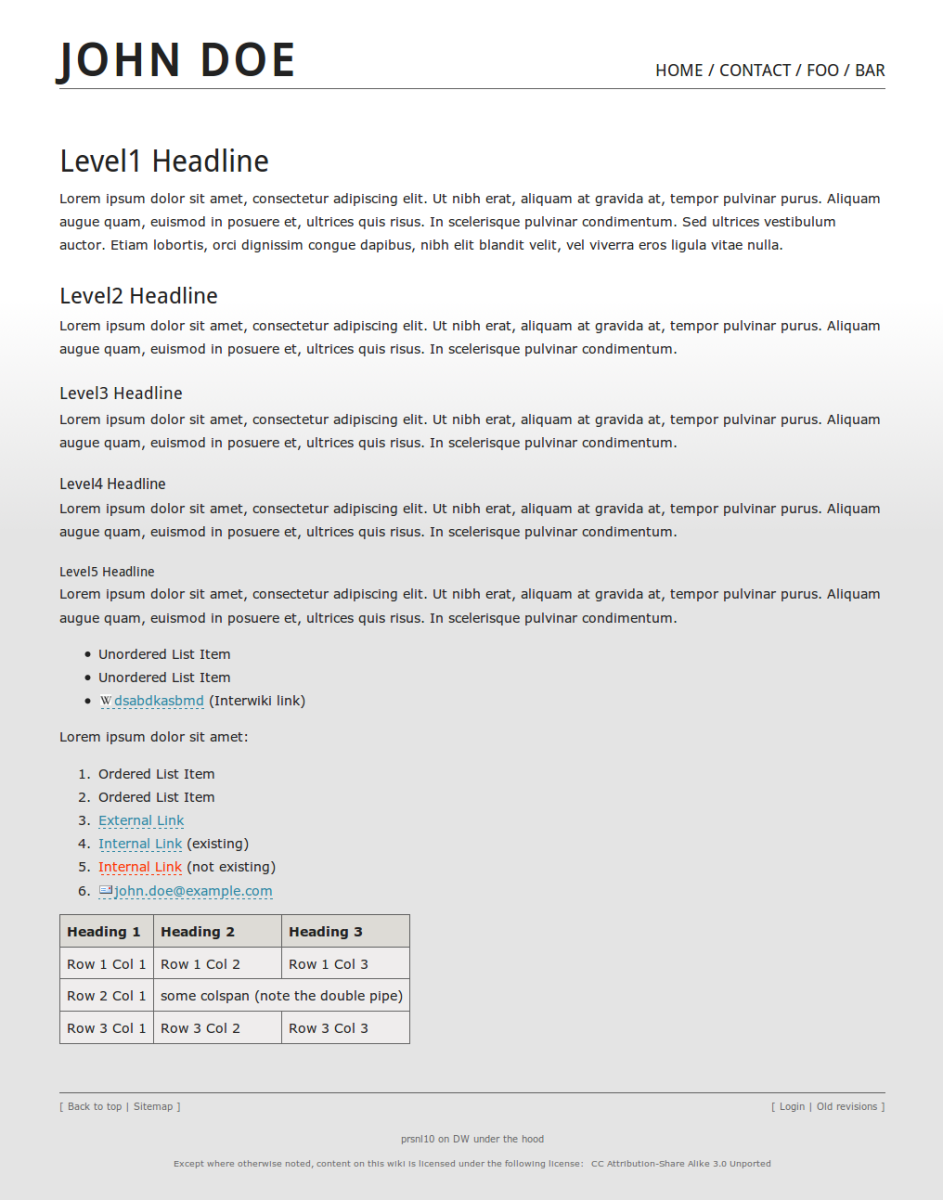
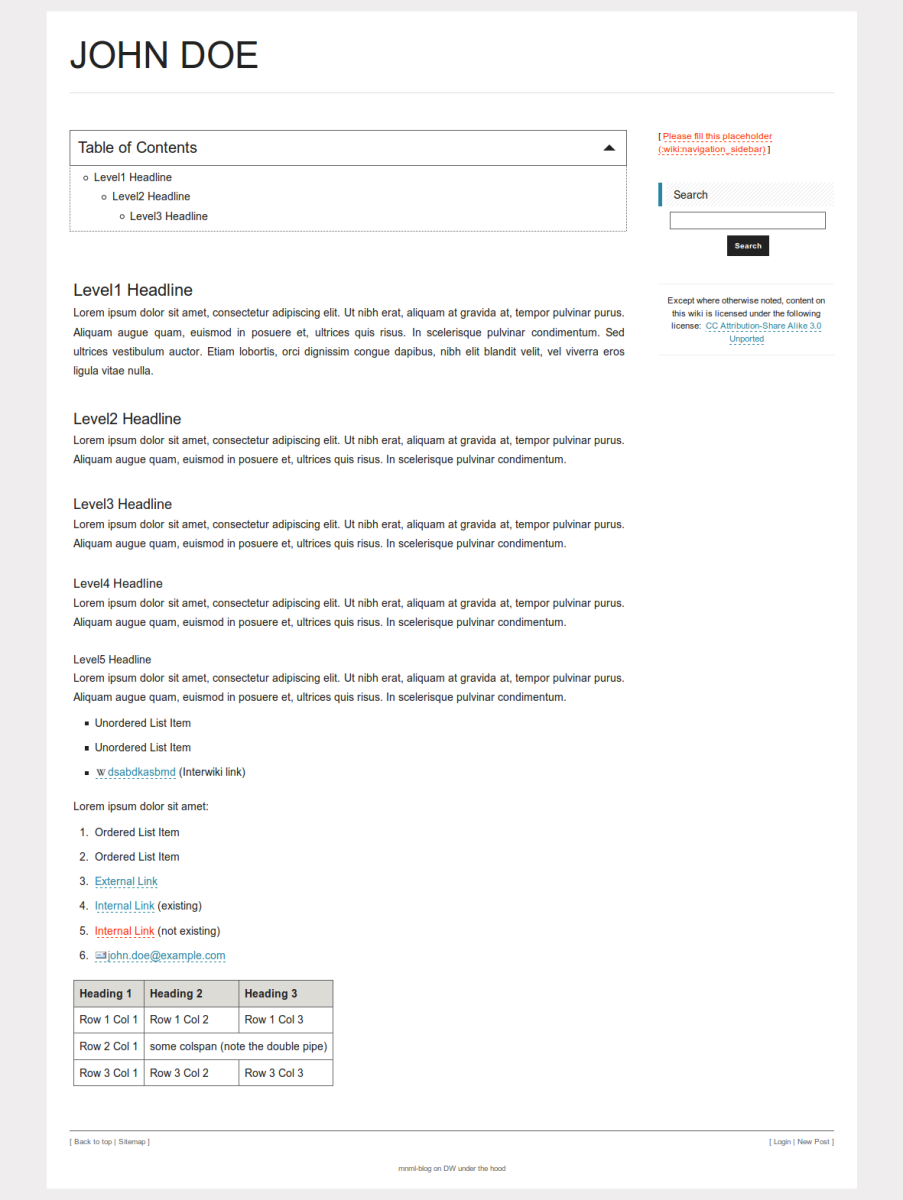
2011-12-01 // DokuWiki templates: new versions of monobook, vector, prsnl10 and mnml-blog
I just released updated versions of the following DokuWiki templates:
- vector – current MediaWiki/Wikipedia look and feel.
- monobook – traditional MediaWiki/Wikipedia look and feel.
- prsnl10 – minimalist template, suitable for portfolio and personal websites.
All of them are compatible to “Angua” and its awesome new media manager. Have fun.
 |  |  |  |
2011-12-01 // PayPal-Konto schließen (Direktlink)
Vorgehen, falls man ein PayPal-Konto löschen will:
- Bei PayPal einloggen und sicherstellen, dass keine Transaktionen mehr offen sind.
- Den Anweisungen folgen und gefühlte tausendmal bestätigen, dass man es mit der Schließung des Kontos ernst meint.
Der Link ist scheinbar nicht mehr direkt über das PayPal-Menü aufrufbar (meiner Erinnerung nach war früher ein entsprechender Punkt unter “Mein Profil” aufgeführt). Aktuell findet man den Link über das interaktive Hilfecenter via Suchwort “kündigen”. Um sich die Sucherei zu ersparen sei der Direktlink hier für's “Archiv” verbloggt.